

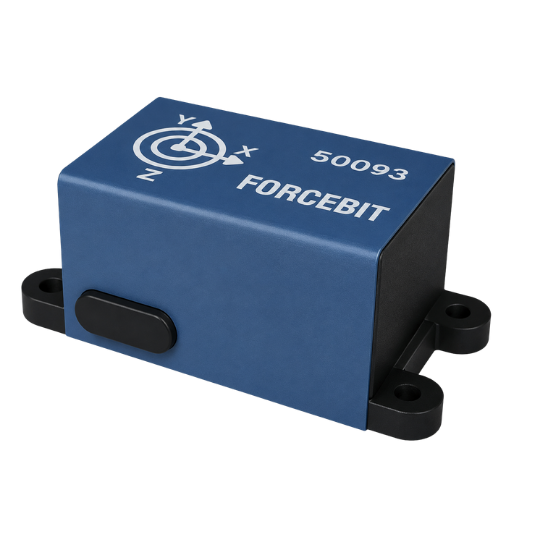
Wireless 3-axial accelerometer
- Measures tri-axial acceleration up to 16 kHz
- Monitor up to 6 sensors simultaneously
- Plug-and-play installation with glue or double-sided tape
- Rechargeable battery with over 50 h autonomy at 2kHz
- Time synchronization within 10 microsec.
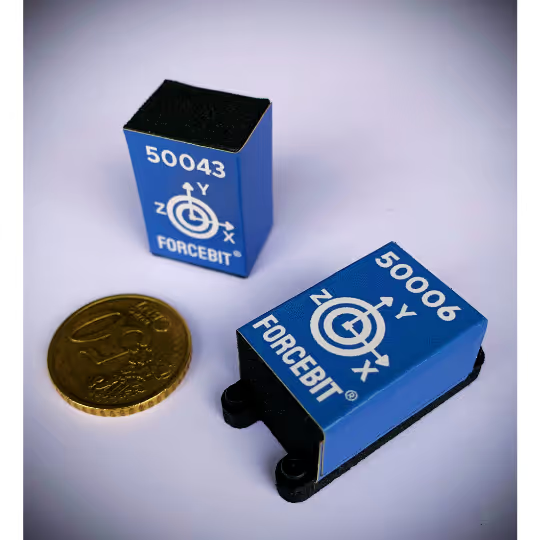
- Small (12.5 x 19.1 x 23.7 mm3), lightweight (8 g) design
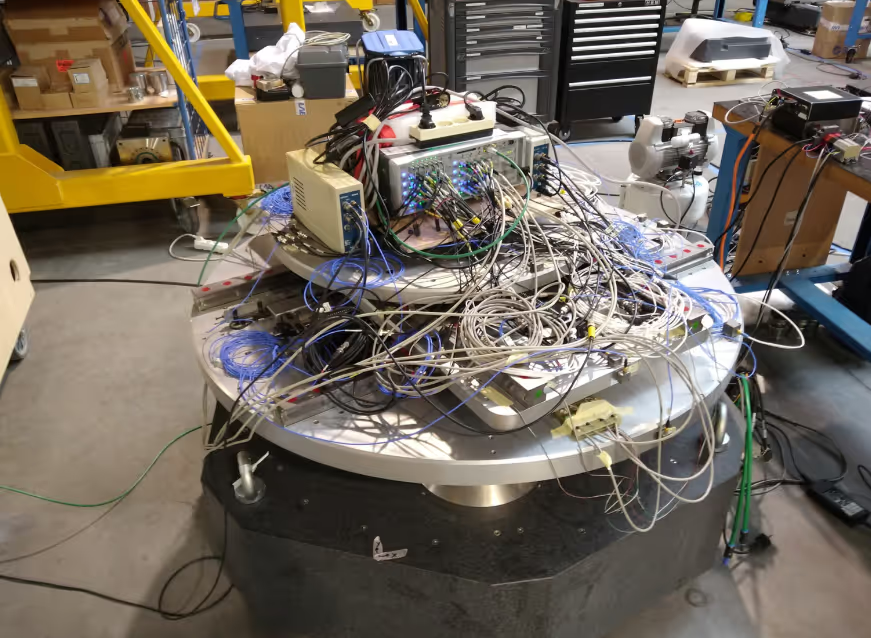
How different accelerometers compare?
→ Read the technical explanation in our blog post ←
How is our DOT sensor different from traditional wired accelerometers?
Our DOT sensors leverage cutting-edge MEMS technology, offering several distinct advantages over conventional wired accelerometers:
- Measure from 0 Hz: Unlike piezo-accelerometers, our sensors measure down to 0Hz, capturing the gravity component. This provides valuable insights into sensor orientation, which is crucial for detailed motion analysis. Our high accuracy 70 µg/sqrt(Hz) sensor is among the premium solutions within the existing MEMS-technology, matching close to the superior accuracy of piezo-accelerometers.
- Ideal for Moving Parts: Cabling in fast-moving systems can be both dangerous and impractical. Cables are prone to getting caught in moving components, which could damage both the sensors and your equipment. Our DOT sensors eliminate this risk with their wireless design. Additionally, their lightweight and compact form factor ensures minimal mass loading, reducing any potential impact on machine behavior.
- Effortless Installation: Say goodbye to complex wiring and tedious setups. Our DOT sensors feature a simple plug-and-play installation. Just mount them to your structures easily with a double-sided tape, magnet or screws within minutes, you're collecting valuable data to improve your design. No lengthy preparations or complicated processes.
Why Do You Need One?
A wise person once said, "When you assemble your machine, the true physics reveal themselves."
As your machine comes together, small errors begin to accumulate. Parts may not align perfectly with your design, assembly misalignments can introduce extra friction, and the actual loads applied to your system may be quite different from what you initially anticipated. The result? Increased vibrations, annoying noise, and, in the worst case, a drop in performance.
By placing sensors on key components like your drivetrain or machine housing, you can pinpoint where these vibrations are originating and address the root cause. Whether you’re using machine learning algorithms or developing physics-based digital twins, accurate and reliable data is essential to guide you toward better performance and system optimization. Our DOT sensors provide that data, helping you understand and refine your machine’s operation.
Download our DOT CAD 3D Model
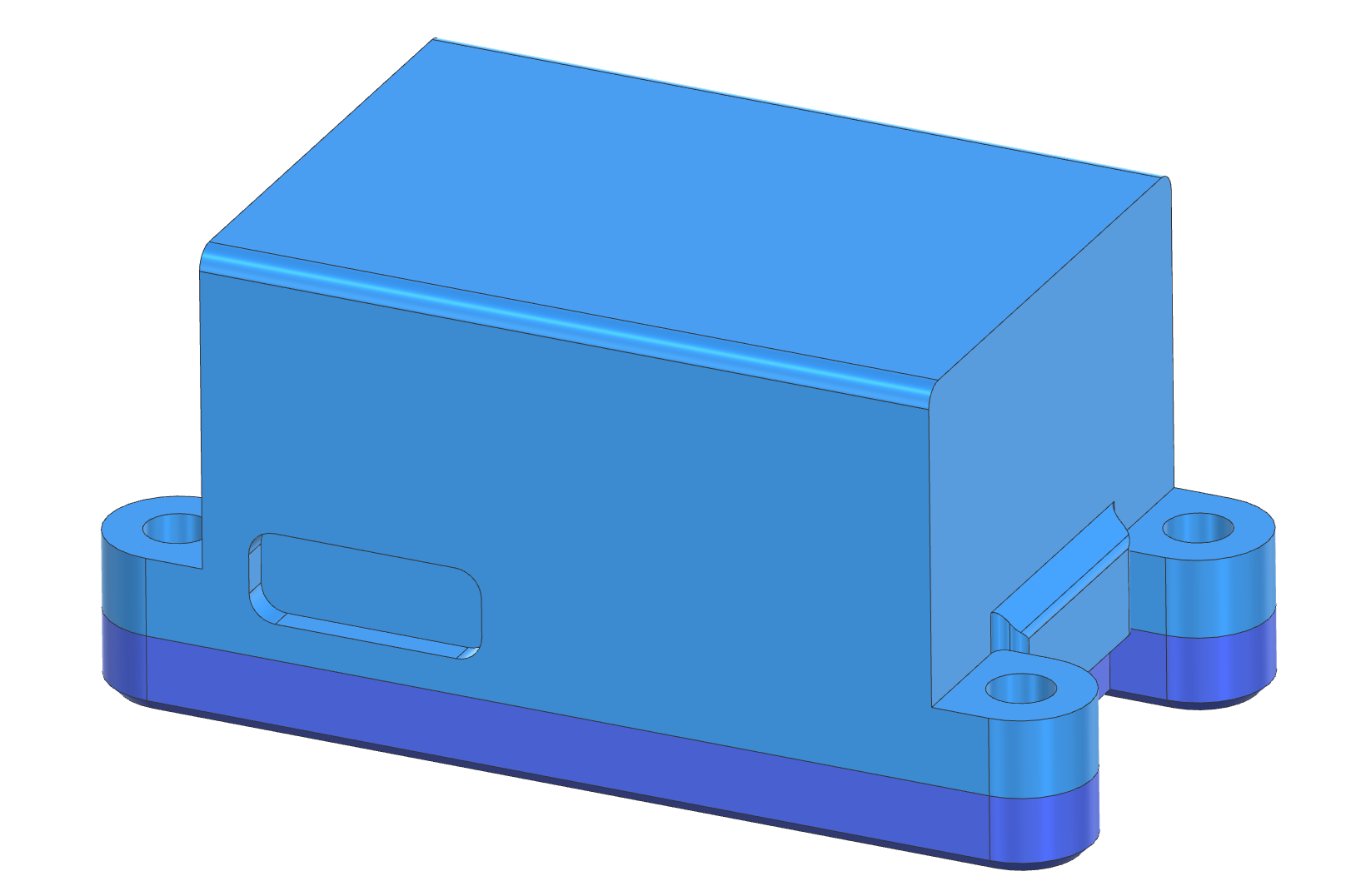
Integrate DOT into your design before installation. Download the CAD 3D model to evaluate fit, clearances and mechanical integration directly within your own assembly.
✔ Check fit and available installation space
✔ Verify shaft clearance and surrounding components
✔ Simplify mechanical integration into your assembly
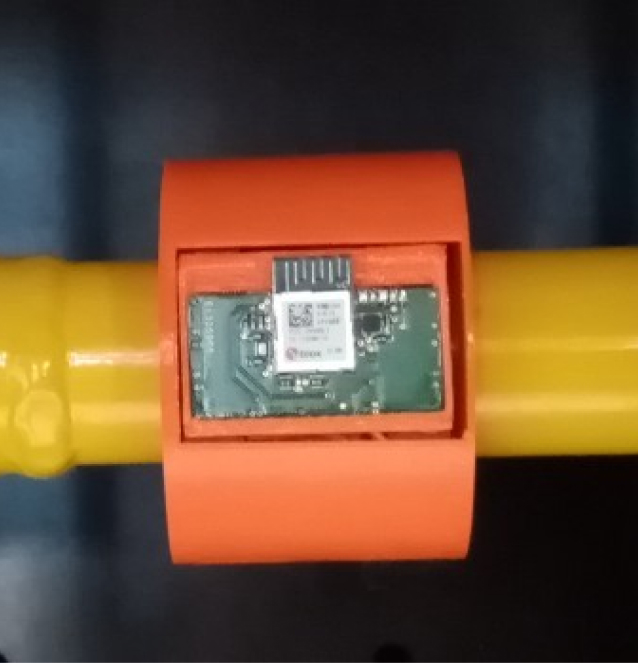
Choose precision, simplicity and convenience with our innovative sensor solution
Get access to all Specifications


What the industry has to say about FORCEBIT
"The ease of installation really did surprise me. Though the selected location seemed very confined initially, the sensor was mounted on the shaft and ready for use within a minute."
FAQs
Can’t find what you’re looking for? Reach out and we’ll get you a clear answer.
Sensor Purpose, Applications & Accuracy
What is the application where a wireless accelerometer (such as the DOT sensor) works best?
The DOT sensor is extremely light (under 10 grams) and compact, making it ideal for components with significant motion. It provides full high‑frequency time‑domain data (up to 16 kHz), enabling detailed vibration analysis beyond summary metrics or FFT outputs. More information about selecting the right accelerometer can be found in our guide to selecting the right accelerometer.
How is DOT different from other wireless accelerometers?
DOT sensors combine precise synchronization across multiple sensors with low mass, high bandwidth and long battery life. Unlike many wireless accelerometers that provide only preprocessed metrics or frequency-domain results, DOT gives you access to the complete time-series data.
This raw data is particularly valuable when you do not yet know which features are important or want to perform a more detailed analysis to gain deeper insight into your system’s behaviour. Examples include frequency analysis of rotating tires and the characterization of a vehicle’s suspension system.
Is the DOT sensor accurate?
The DOT sensors have a cross-axis sensitivity below 2% and a noise density of 70 µg/√Hz, placing them among the most accurate MEMS accelerometers in the high-bandwidth, low-power category. For more information, check our real-world comparison between DOT and a piezoelectric accelerometer.
Is each DOT sensor calibrated?
Users can perform a static calibration using gravity as a known reference. Upon request, FORCEBIT can also perform a dynamic calibration to measure and verify the sensor’s frequency response.
How long does the battery last?
Battery life depends on the selected sampling rate. DOT provides more than 50 hours of operation at 2 kHz and approximately 37 hours at 4 kHz. Download the full specifications to view a graph showing the relationship between sampling rate and battery life.
Mounting & Installation Flexibility
How do I mount the DOT sensors?
For frequencies below 1 kHz, double‑sided tape is sufficient. For stiffer coupling, magnets or epoxy are recommended. Dedicated mounting feet are also available. More information about mounting our sensors can be found in our our guide to mounting wireless accelerometers.
Can I use the DOT sensor with a cable?
When powered through USB-C, the DOT sensor can operate continuously while data is still transferred wirelessly.
How can I be sure that DOT fits in my application?
Download the DOT CAD model and integrate it into your own assembly to verify the available installation space, mounting position and clearances before purchasing.
Is DOT suitable for harsh industrial environments?
Yes. The DOT housing is dust-tight and resistant to splashing water, making the sensor suitable for use in dirty industrial environments. However, it is not designed for complete immersion or exposure to high-pressure liquids. The maximum operating temperature is 65 °C, with this limit determined by the rechargeable battery.
Multiple Sensors, Synchronization & Data Handling
Can I use several DOT sensors concurrently?
A single gateway supports an aggregated sampling rate of up to 48 kHz across all active sensors and measurement axes. To determine whether a configuration is supported, add the sampling rates of every active axis; the total must not exceed 48 kHz.
For example, six DOT sensors measuring three axes at 2 kHz require an aggregated sampling rate of 36 kHz:
6 sensors × 3 axes × 2 kHz = 36 kHz
3 sensors × 1 axis × 16 kHz = 48 kHz
How are multiple wireless accelerometers synchronized?
DOT sensors are synchronized within 10 µs using hardware timestamps, enabling accurate alignment of events across all sensors and the gateway. More information about our synchronization approach can be found in our explanation of wireless sensor synchronization.
Can I measure real-time vibration data?
No. Due to power‑saving buffering behavior, wireless sensors cannot stream true real‑time at high sampling rates. Expect transmission delays of a few hundred milliseconds—suitable for monitoring, not fast control.
What happens if the wireless connection is temporarily interrupted?
Wireless interruptions are uncommon under normal operating conditions. Nevertheless, DOT includes an internal buffer that can bridge brief interruptions in the radio-frequency connection for up to approximately half a second. The gateway has a larger buffer to handle longer interruptions between the gateway and the computer.
In the event that an interruption exceeds the available buffer and data packets are lost, the missing samples are interpolated while preserving the original timestamps and total measurement timeline. For complete transparency, each measurement run reports whether any radio interruptions occurred and how many were detected.
Pricing, Trial & Support
How much does a typical setup with DOT wireless accelerometers cost?
A typical setup consists of one gateway and six DOT wireless accelerometers—the maximum number supported by a single gateway. For orders of six or more, each sensor costs €1,250. Including the €1,500 gateway, a complete six-sensor setup costs approximately €9,000.
No additional hardware is required, and the acquisition software is included at no extra cost. For more information, check out our pricing page.
Can I try DOT before I buy?
Customers in Belgium and the Netherlands can use a DOT sensor set free of charge during a 15-day trial period. In other countries, depending on availability, you can rent a sensor set for one month for €500. Contact us to discuss the options available in your region.
When is a wired IEPE accelerometer the better choice?
A wired IEPE accelerometer will be more suitable when your application requires an exceptionally low noise floor, bandwidth beyond the DOT’s measurement range, sub-10 µs synchronization or deterministic, near-zero transmission latency.
The right choice depends on the measurement objective and operating conditions. We recommend discussing your application with us first so we can help you select the most suitable sensor—even when that is not a FORCEBIT product.
What technical support do you provide?
We help you get started with the DOT sensors so you can carry out a successful measurement campaign. DOT is designed to be straightforward to install and use, so we are confident that you will rarely need our assistance. However, if you encounter a problem or have questions along the way, our engineers (not a chatbot) are available to provide direct and personal support.
Range, Sensor Types & Placement Guidance
Do you offer 6-DOF IMU sensors?
Not currently. High-range rotational MEMS sensors typically lack the bandwidth required to accurately capture highly dynamic rotational motion. For these applications, we recommend using multiple synchronized linear accelerometers to estimate rotational behaviour.
We are developing an option that includes gyroscopes. Visit our Early Access page to register your interest and receive updates.
What if I need a higher measurement range than 16 g?
If the primary vibration direction is known, mounting the sensor at a carefully selected angle can reduce the acceleration component measured along an individual axis. The mounting angle must be considered when interpreting the data, and this approach may not be suitable for multidirectional motion.
We are also developing wireless accelerometers with higher measurement ranges. Visit our Early Access page to register your interest and receive updates.
How do I know where to place the sensors?
Optimal placement depends on system dynamics. A structural model can help; alternatively, our engineers can advise. Thanks to easy installation, you can quickly test multiple locations to identify the most informative positions.
What is the wireless range of the DOT sensors?
In open space, DOT sensors have a typical wireless range of 10–20 metres from the FORCEBIT Gateway. The effective range may be shorter when obstacles are present, particularly metal structures, water or sources of electromagnetic interference. For the most reliable connection, position the gateway close to the sensors and minimize obstacles between them.
Still have questions?
Can’t find what you’re looking for? Reach out and we’ll get you a clear answer.