

Streaming platform and interfacing tool to other software
- On-the-fly data-streaming
- MATLAB & Python interfacing
- Export data as CSV-files or
HDF5-files for easy analysis - Runs directly from USB drive
- No internet connection needed
- Included with the Gateway
.avif)
Fully Python-based and requires no installation
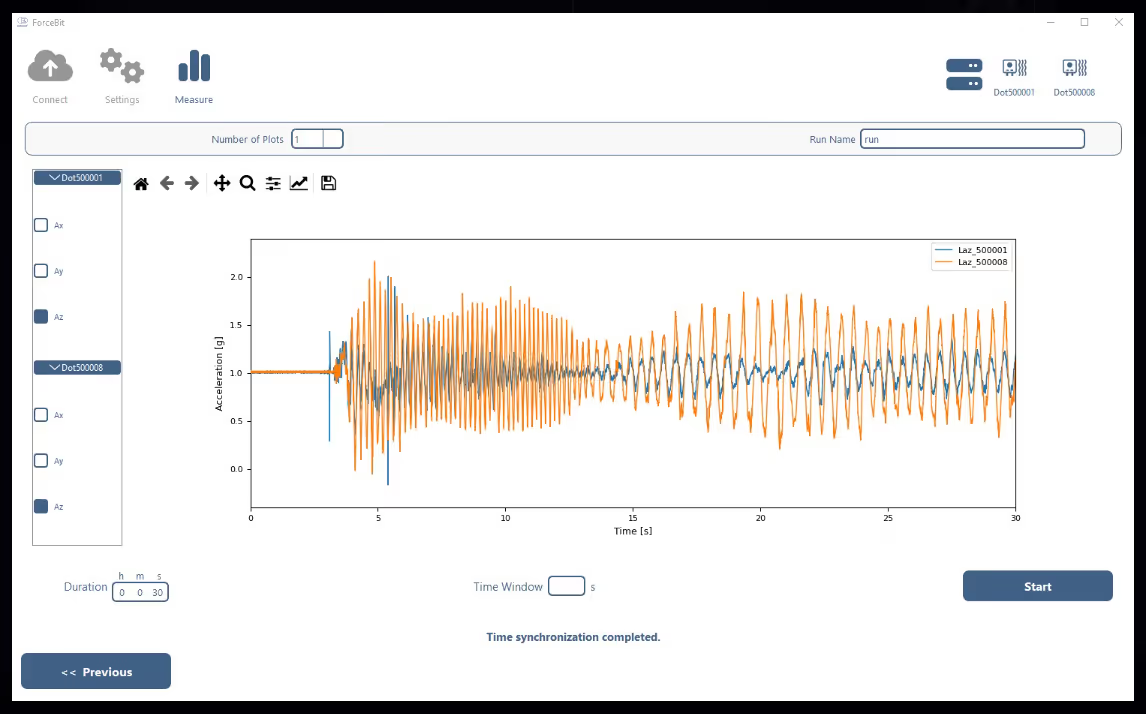
Our data acquisition software is fully Python-based and requires no installation: the software launches directly and can even be run straight from a USB drive. This eliminates the need for permanent installation on a PC and allows the software to remain deployed together with the sensors at all times. In addition to standard desktop and laptop systems, the software can also be used seamlessly on Intel Windows tablets, offering maximum portability and flexibility for on-site measurements and field applications.
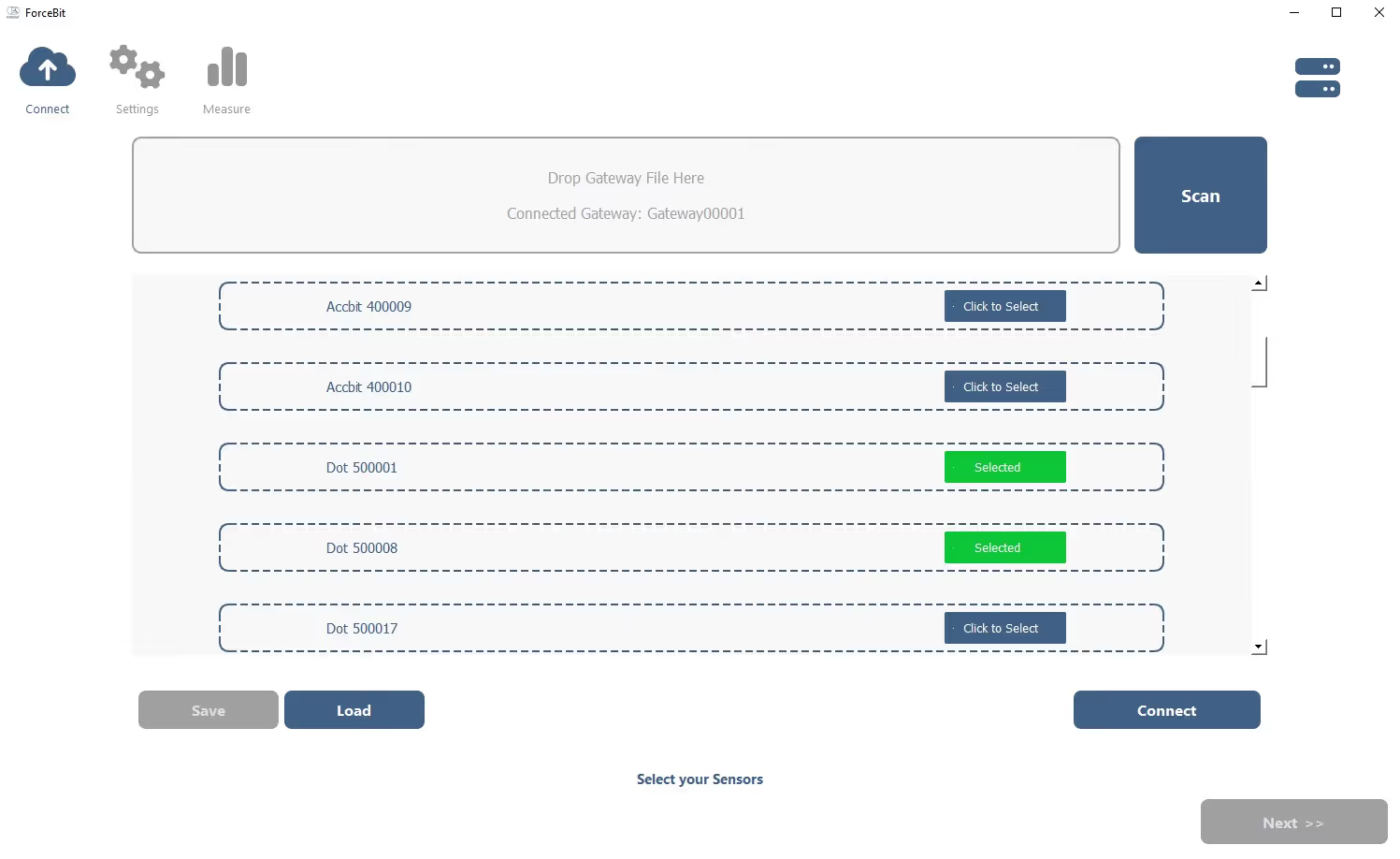
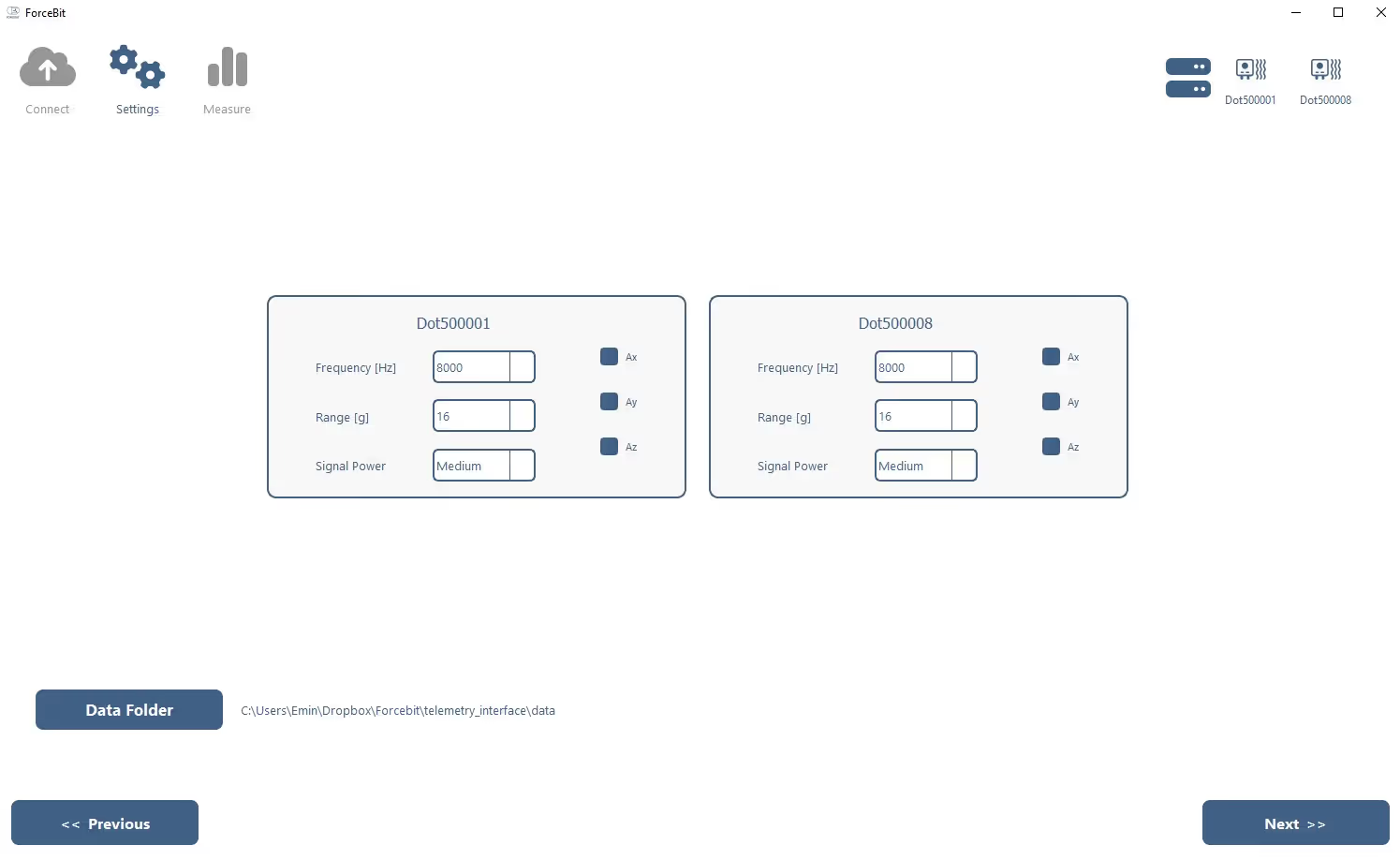
Users are guided through the measurement process step by step, enabling reliable measurements to be performed in just a few simple actions. At the same time, the software remains flexible and open, with maximum compatibility with external software environments such as MATLAB and Python. Additional APIs can also be developed upon request to ensure seamless integration into existing workflows and systems.
In a future release, the software will support simultaneous connections to multiple gateways, allowing different measurements to be performed in parallel. This functionality is expected by the end of Q4 2026. Thanks to continuous data streaming, users immediately gain clear insight into measurement behavior and the near-real-time status of the system. Additional software updates and improvements are provided regularly and free of charge.
Easy-to-use and
Easy-to-follow
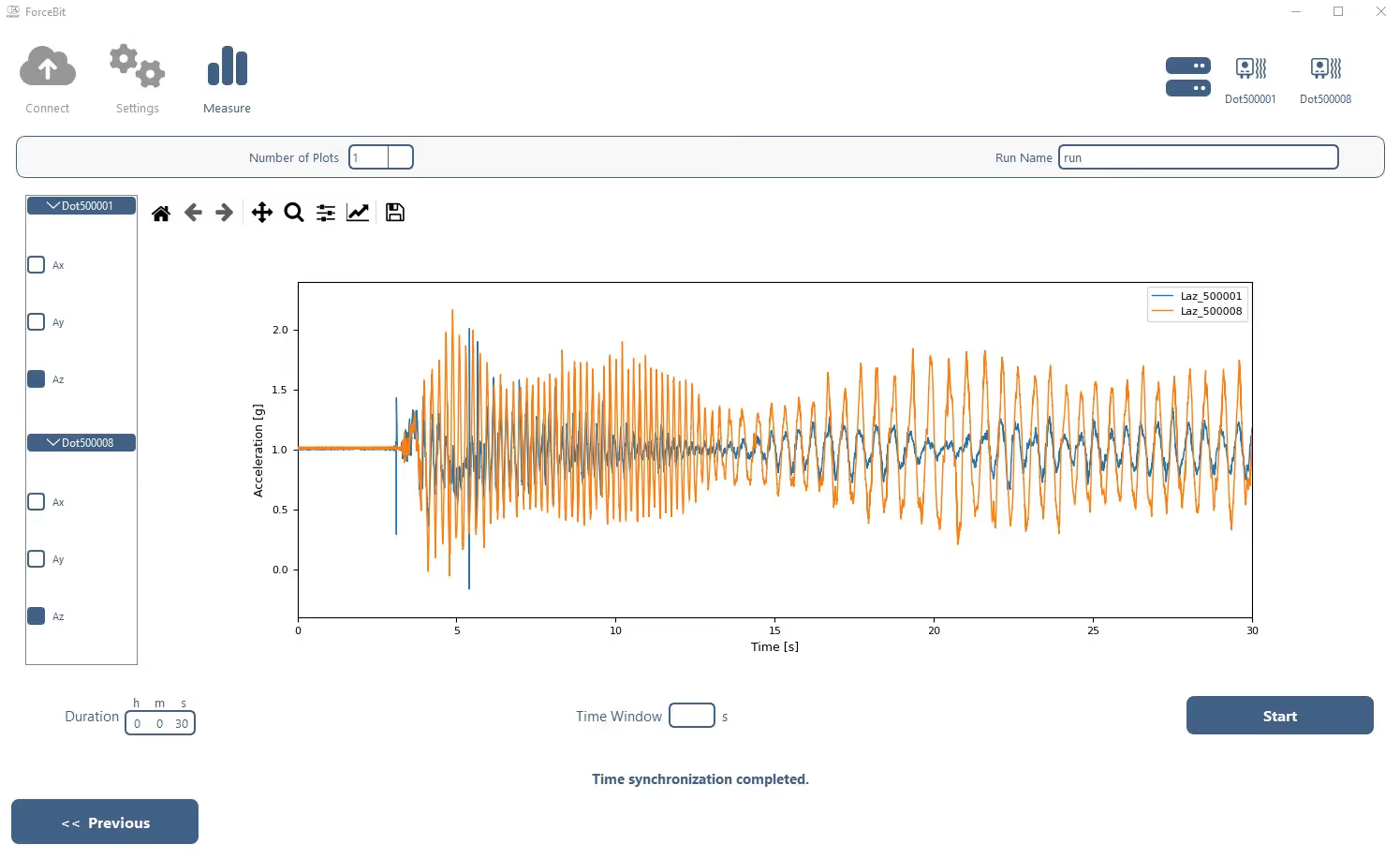
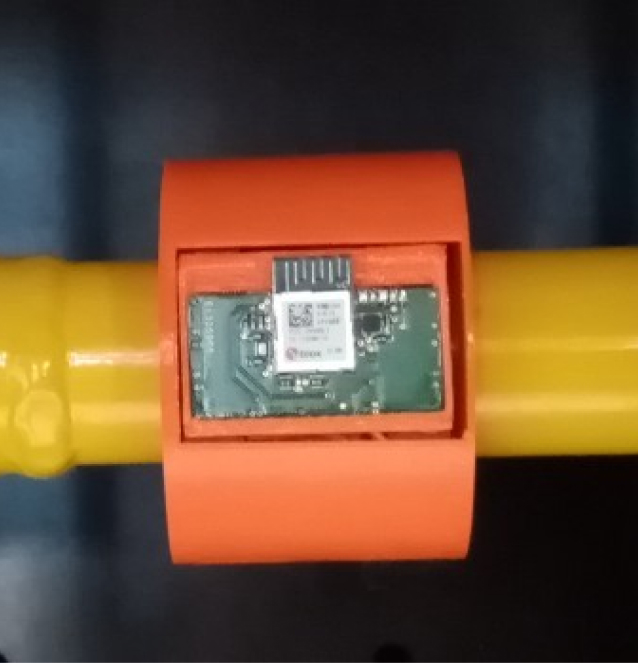
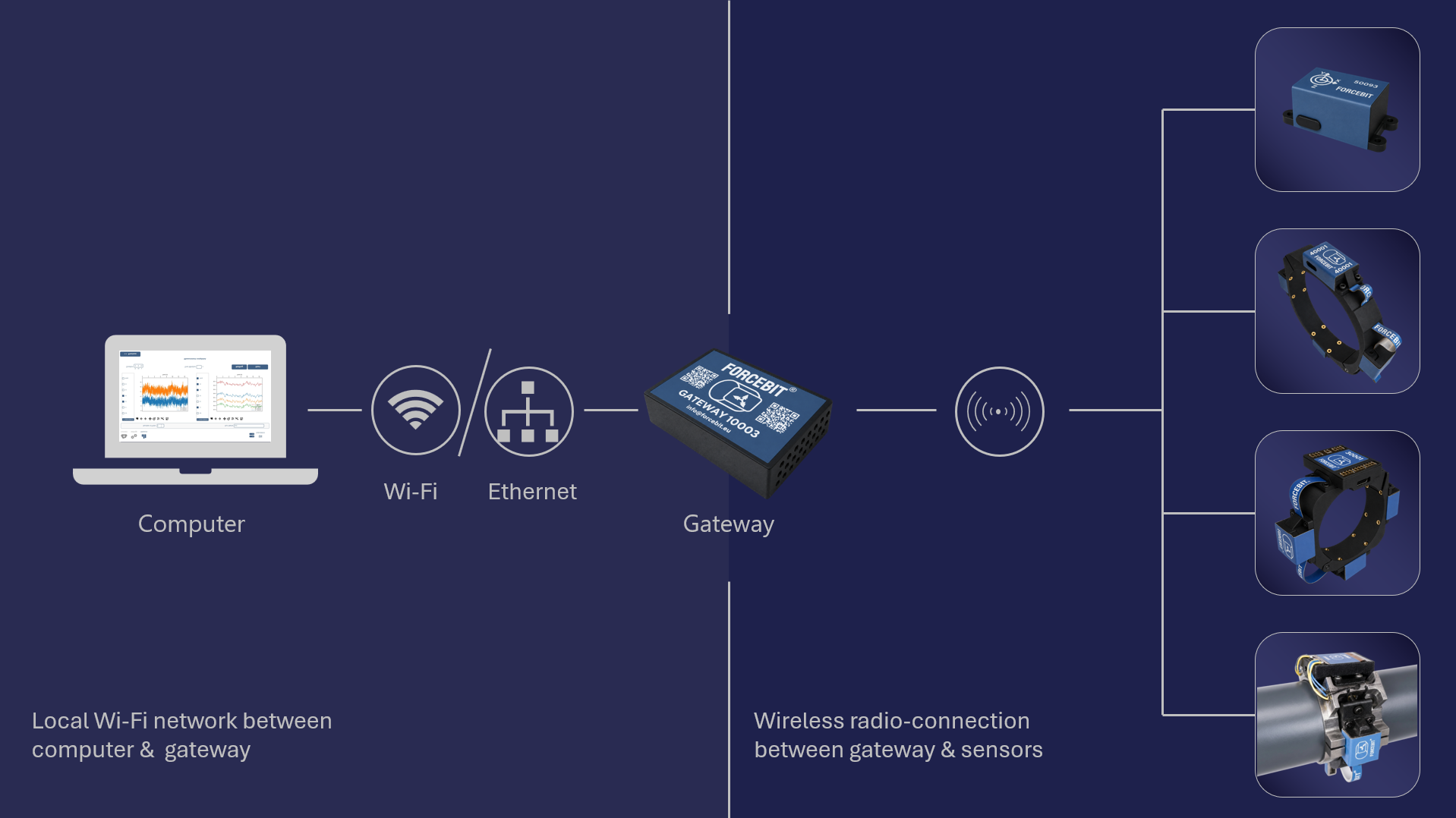
Effortless Wireless Connectivity
Interfacing Methods
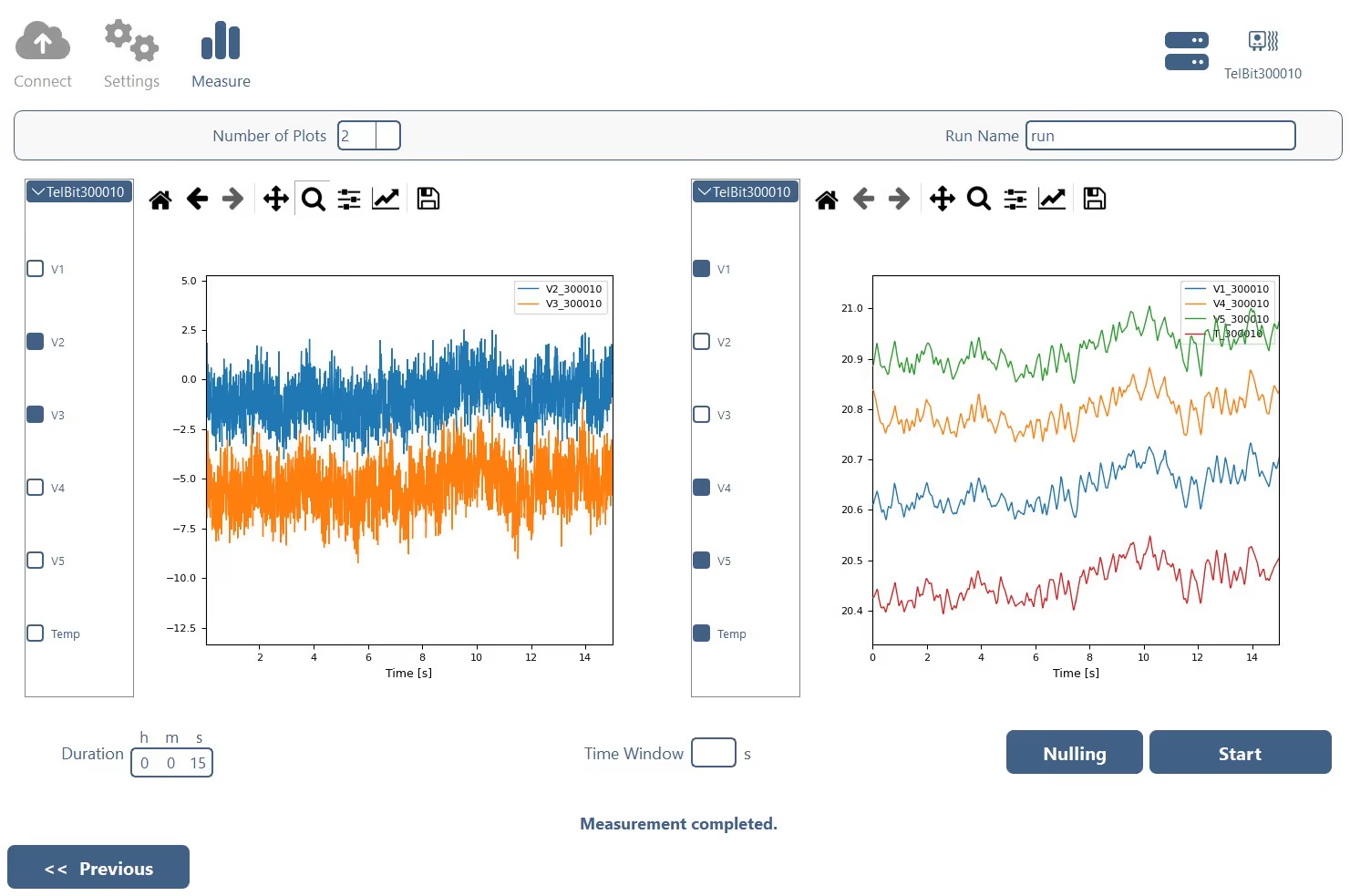

Intuitive Graphical User Interface (GUI)
Manage your test campaigns with ease using our user-friendly GUI. Visualize raw data in real-time and export it as .csv or .h5 files for further analysis.
Advanced Scripting with MATLAB or Python
For experienced users, script your campaigns using MATLAB or Python. Prepare, execute, and analyze tests simultaneously, allowing for real-time adjustments and efficient data processing.
One-Click Execution
If speed and simplicity are your priorities, simply input minimal values into a text file and run your campaign with the press of a button.

Choose precision, simplicity and convenience with our innovative sensor solution
Get access to all Specifications

FAQs
Can’t find what you’re looking for? Reach out and we’ll get you a clear answer.
Installation, Licensing & Device Compatibility
Is the FORCEBIT acquisition software included with the gateway?
Yes. The acquisition software is included with the FORCEBIT Gateway at no additional cost. There are no recurring licence or subscription fees, and software updates are provided free of charge.
Does the software require installation or administrator rights?
No permanent installation is required. The software can be launched directly and can even run from a USB drive. Installing it locally is optional and may provide additional convenience for frequent use.
The software does not normally require administrator rights. However, it starts the Python application through a .bat file, which may be blocked on computers with strict corporate security policies. In that case, your IT department or system administrator may need to review and approve the file before it can be used.
Which operating systems and devices are supported?
The acquisition software currently runs on Windows computers and Windows tablets with an Intel processor. Smartphone support is not currently available. Contact us if you want to use a different operating system or device so we can discuss compatibility and upcoming options.
What are the recommended computer specifications?
We recommend a computer with at least 8 GB of RAM and a dual-core Intel processor. For long measurements, the computer should remain connected to a power source. A Windows tablet with an Intel processor is recommended for portable measurement setups.
Do I need an internet connection or online licence?
No. The FORCEBIT system can acquire, visualize and store measurement data completely offline. The software does not require an online licence or continuous internet connection.
The gateway creates its own Wi-Fi network. If you want to remain connected to the internet while measuring, you can use an Ethernet connection or an additional USB Wi-Fi adapter.
Measurement, Streaming & Data Management
Which FORCEBIT sensors can I configure and measure with the software?
The acquisition software works with every type of FORCEBIT sensor. It detects compatible sensors within range of the gateway and allows you to select channels, sampling rates and measurement settings for each sensor.
Different FORCEBIT sensor types can be combined within one synchronized measurement setup, provided that the total aggregated sampling rate remains within the system limit.
Can I stream and visualize measurement data in real time?
Yes. The software continuously streams and visualizes raw measurement data with an end-to-end display latency of approximately one second. This is suitable for monitoring and evaluating measurement behaviour, but not for deterministic closed-loop control.
Which data formats can I export for engineering analysis?
Measurement data can be exported as .H5 or .CSV files for further processing in MATLAB, Python, Simulink and other engineering tools. Additional export formats can be developed on request subject to technical feasibility and a separate quotation.
CSV files can also be opened in Excel. However, long measurements or high sampling rates may produce more rows than Excel can display. For larger datasets, we recommend using HDF5 together with MATLAB or Python.
Where is my measurement data stored, and who has access to it?
Measurements can be stored locally on your computer or on the FORCEBIT Gateway for later retrieval. The system can operate completely offline, so measurement data does not need to be uploaded to an external cloud service.
Can I use multiple sensors or gateways in one measurement setup?
A single gateway can connect to multiple FORCEBIT sensors, subject to an aggregated sampling-rate limit of 48 kHz. Two gateways can currently be operated independently using two computers.
Data acquisition software for connecting two gateways to one computer and synchronizing them through the Precision Time Protocol is under development and is expected by the end of Q4 2026.
Automation, Integration & Support
Can I control measurements directly from Python or MATLAB?
Yes. Dedicated Python and MATLAB functions can be used to configure sensors, prepare measurement campaigns, start measurements and process the resulting data. This allows FORCEBIT measurements to be integrated into automated engineering workflows.
Can the software interface with an external DAQ or other engineering tools?
Exported .CSV and .HDF5 files can be processed in other engineering environments. We are also developing hardware-level integration with external data-acquisition systems through an Ethernet connection using the Precision Time Protocol (PTP).
This configuration requires an additional Ethernet switch to connect the FORCEBIT Gateway and the external acquisition hardware. Contact us with your interface, timing and synchronization requirements so we can evaluate a suitable setup.
Can FORCEBIT develop a custom API, filter or signal-analysis workflow?
Yes. Custom APIs, firmware, filtering options and signal-analysis packages can be developed on request. You can also use the Python and MATLAB interfaces to build your own processing and automation routines.
How often is the FORCEBIT acquisition software updated?
We continuously improve the acquisition software and typically release a new version about once a month. All software updates are available to download free of charge from the FORCEBIT repository.
How easy is the software to use, and what support is available?
The interface is designed to be intuitive and accessible, enabling even non-technical users to start measurements within minutes. An online manual provides step-by-step guidance. If you have questions, encounter a problem or want to share feedback, our engineers are available to respond personally.
Still have questions?
Can’t find what you’re looking for? Reach out and we’ll get you a clear answer.